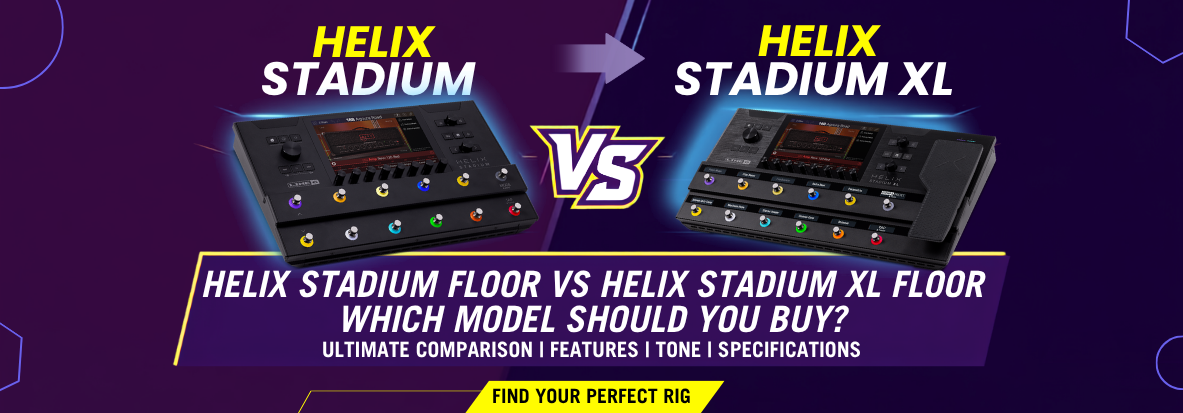
A gigging guitarist's guide to the original Helix family and the new Helix Stadium Floor and Stadium XL Floor, answering the questions our team gets asked most in-store.
Line 6's Helix range has been the backbone of thousands of pedalboards and studio racks for close to a decade. In 2025, Line 6 introduced Helix Stadium Floor and Helix Stadium XL Floor , built around an entirely new modelling engine called Agoura. That's left a lot of players asking the same practical question: do I need Stadium, or does the original Helix still do the job?
This guide answers that with the specific, practical questions our team hears every week in-store, rather than repeating a spec sheet.
Helix Stadium replaces the original HX modelling engine with a new engine called Agoura, designed to more accurately reproduce how a real amp responds to your playing dynamics: sag, compression and touch-sensitivity, rather than just its tonal fingerprint. It also introduces Proxy, a cloning engine for capturing your own amps, cabs and pedals, and Showcase, a live automation system for running an entire stage setup from the unit.
Crucially, Helix Stadium isn't a replacement for the existing Helix range in the sense of making it obsolete. Line 6 has built Stadium to be nearly 100% backward-compatible with existing Helix and HX presets, so if you own a large library of Helix tones, they carry across rather than being lost. The original Helix Floor, HX Effects and related products remain part of Line 6's active lineup.
Helix Stadium XL Floor and Helix Stadium Floor share identical DSP power and the same Agoura modelling engine. The difference is entirely in control surface and I/O. The XL adds a built-in expression pedal, 12 illuminated OLED scribble strips, a second instrument input, and doubles the effects loops, external expression pedal capacity, amp control outs and drum trigger inputs.
| Feature | Helix Stadium Floor | Helix Stadium XL Floor |
|---|---|---|
| Modelling engine / DSP | Agoura — identical processing power to XL | Agoura — identical processing power to Floor |
| Touchscreen | 8" high-resolution touchscreen | 8" high-resolution touchscreen |
| Scribble strips | Standard display footswitch labelling | 12 high-contrast OLED scribble strips, dimmable |
| Built-in expression pedal | Not included | Included, with assignable toe switch |
| Instrument inputs | 1 variable-impedance input | 2 variable-impedance inputs |
| Effects loops | 2 (mono or stereo) | 4 (or 2 stereo) |
| External expression pedals supported | Up to 2 | Up to 4 |
| Amp control outs | Up to 2 | Up to 4 |
| Drum trigger inputs | Up to 2 | Up to 4 |
| Showcase automation | Yes | Yes |
| Proxy cloning engine | Yes | Yes |
| Best suited to | Solo gigging guitarists, streamlined setups, players who prefer an external expression pedal | Bands and touring rigs needing multiple instrument inputs, external control and expandable loops |
In short: choose based on how many inputs, loops and external controllers your setup genuinely needs. If you're a solo guitarist running one instrument through one signal chain, Stadium Floor gives you the full Agoura engine without paying for I/O you won't use. If you're switching between guitar and bass, running a click track into the mix, or building out a full automated stage rig, the XL's extra inputs and control outs earn their keep.
The Agoura engine in Helix Stadium is built to model amp dynamics more precisely than the original HX engine, and most independent reviewers rate it as a genuine improvement in realism, particularly on high-gain amps. It isn't a universal, unanimous verdict, though,some players still prefer specific HX Legacy amp models for certain tones, which is exactly why Line 6 kept them available on Stadium.
What tends to separate the two engines in practice is dynamic feel rather than raw tone-shaping ability. Agoura models are designed to react to pick attack, palm muting and volume-knob changes in a way that's closer to a real tube amp under load. If you play with a lot of dynamic variation, clean-to-crunch via guitar volume, for example, this is where Stadium's engine tends to earn its reputation. If your playing style is more set-and-forget, with fixed gain staging per song, the practical difference between HX and Agoura narrows considerably.
Because Stadium ships with both Agoura models and the older HX Legacy models side by side, you don't have to choose one engine exclusively. You can A/B them directly within the same preset while building your tone.
Helix Stadium runs on four signal paths with 12 block locations each. A 48-block maximum per preset, and uses Dynamic DSP rather than a fixed amp-count limit, so it never arbitrarily caps you at one or two amps the way some competing processors do. That said, DSP is still finite: stacking three or four full Agoura amp models plus a heavy effects chain in one preset, especially in stereo, will use up available processing quickly.
This is one of the most common questions our team hears from players upgrading from the original Helix, and it's a fair one. The original Helix has well-documented DSP ceilings that experienced users learn to work around. Stadium raises that ceiling with a more powerful chipset, but the fundamental principle hasn't changed: more amps, more stereo effects and more parallel routing all cost DSP, and Agoura models are noticeably more DSP-hungry than the Legacy HX models carried over from the original Helix.
The practical takeaway for anyone building genuinely complex, multi-amp presets, dual-amp blends, layered pitch-shifted paths, or presets built for switching between guitar and vocal chains is to mix Agoura and Legacy amp models deliberately rather than defaulting to Agoura everywhere. Using a Legacy amp on a background or blended path, and reserving Agoura for your primary tone, is the most efficient way to keep a complex preset within budget.
Both Helix Stadium models offer extensive analog and digital connectivity: a variable-impedance instrument input (two on the XL), XLR mic input, stereo XLR and 1/4" outputs, S/PDIF digital I/O, MIDI in/out, USB-C and USB-A, a headphone output, and both Wi-Fi and Bluetooth. A proprietary Nexus port also allows for future hardware expansion via the optional Expand D10 unit.
For players coming from the original Helix, the headline additions are Wi-Fi and Bluetooth as standard (useful for firmware updates, the companion app, and streaming backing tracks to jam along with), plus the Nexus expansion port, which doesn't exist on any earlier Helix model. USB connectivity remains a strong point across both generations. Stadium's USB-C connection provides a multi-channel audio interface for recording and re-amping directly into a DAW, with no separate audio interface required.
On the analog side, the effects loop count is the main practical difference between the two Stadium models (two on Stadium Floor, up to four on the XL), which matters if you're integrating external pedals, a tube preamp, or outboard drive pedals into your signal chain rather than running fully in the box.
Helix Stadium pairs naturally with Line 6's Powercab active speaker range ( ), which can run in flat, full-range mode to reproduce your presets without colouration, or switch to onboard Speaker Modeling to add the response of a real guitar speaker to your rig. This gives you an "amp-in-the-room" feel on stage rather than relying purely on a PA or in-ears.
If you're already using the cab and IR models built into Helix Stadium's own presets, running a Powercab in flat mode simply amplifies exactly what you've built, with no extra colouration from the speaker itself. If you'd rather let the speaker do some of the tonal work, switching a Powercab to Speaker Modeling mode and bypassing the cab block in your Stadium preset lets you swap between modelled speaker types independently of your amp choice, which is useful for quickly trying a different cabinet character without rebuilding your preset. For players who don't use a Powercab, Helix Stadium's XLR and 1/4" outputs are equally happy feeding a PA system, a dedicated FRFR wedge, or a set of studio monitors, since the cab and mic modelling is already baked into the signal before it leaves the unit.
For most players, yes: Helix Stadium models the full signal chain from amp through cabinet and microphone, so it's designed to be a complete replacement for a traditional amp-and-cab rig, output straight to a PA, powered speaker or in-ear system. Whether it should replace your amp comes down to whether you're comfortable monitoring through FRFR speakers rather than feeling air move from a real cabinet behind you.
Plenty of gigging guitarists run Helix Stadium as their only amplification, going straight into the house PA or a pair of in-ears with zero backline. Others prefer to keep a real cab in the loop, using Stadium purely for effects and preamp duties into the front end of a traditional amp. Both are entirely valid setups. The unit is flexible enough to be your entire rig or just one part of a larger one, depending on how you route it.
Helix Stadium's Agoura amp library includes models based on classic and modern amplifiers spanning clean American voicings, British crunch and high-gain modern metal tones, alongside dozens of studio-standard effects and cabinet/microphone combinations. Line 6 studies the tone and behaviour of well-known amps during development, though for trademark reasons, models are named descriptively rather than using the original manufacturer's branding.
This is standard practice across the amp-modelling category, and it doesn't affect what the models actually sound like. A modeller built to emulate a specific vintage British stack, for example, will be named after its characteristics rather than the original brand, but the tonal target is unmistakable to anyone familiar with the source amp. For players chasing a specific classic sound, it's worth spending time in the amp browser comparing a few candidate models against reference recordings before committing a preset to your setlist.
Both Stadium models are built around a straightforward three-mode workflow: Preset, Stomp and Snapshot . All designed so you're never more than a footswitch tap away from changing tone mid-song. The touchscreen and capacitive footswitches also mean live tweaks don't require menu-diving, which is the single biggest usability complaint players have historically had with earlier digital modellers.
For gigging specifically, a few practical points come up often in-store. First, Stadium is a genuine step up in build quality on the original Helix Floor's already road-proven chassis, with a cast aluminium construction. Second, the Showcase automation engine (available on both Stadium models) lets you pre-programme preset changes, backing track playback and even lighting cues to a click, which is a serious advantage for bands running tight, rehearsed sets. Third, if you're moving from the original Helix, your muscle memory for footswitch layout and snapshot workflow carries across almost directly, since Stadium deliberately kept the same core interaction model.
Snapshots let you store multiple variations of the same preset (different block bypass states and parameter values) and recall them instantly with a single footswitch tap, without the audio gap you'd get from switching presets entirely. Each preset can hold up to eight snapshots, so a single song's rhythm, verse, chorus and lead tones can all live in one preset.
The workflow our team recommends for new users: build your base tone first with everything you'll always want on (amp, cab, core effects), save that as Snapshot 1, then duplicate it into Snapshot 2 and only change what's different for your next section; turning on a boost, engaging a delay, nudging the amp's channel volume. Because both snapshots share the same underlying blocks, switching between them is instant and click-free, which is what makes snapshots so much more reliable for live use than swapping whole presets mid-song. Naming each snapshot clearly (Rhythm, Lead, Clean) rather than leaving them as Snapshot 1/2/3 makes a real difference when you're reading the screen under stage lights.
Add a Split block anywhere in a signal path to send your guitar down two parallel paths simultaneously, each of which can carry its own amps, cabs and effects, before they're brought back together at a Merge block. Helix Stadium offers several split types, a default Y Split sends the signal evenly to both paths, while an A/B Split lets you control the balance between them.
Splitting is the foundation of several genuinely useful live and studio techniques: running a wet/dry rig with one path dry and one carrying only time-based effects, blending two different amp characters for a fuller tone, or sending one path to your monitoring rig while the other feeds a DI for front-of-house. A simple way to hear what a split is actually doing is to place a heavily wet effect, such as reverb at 100% mix, on just one of the two paths, you'll still hear your unaffected dry signal from the other path until they recombine at the merge point, which makes the parallel routing concept click quickly for anyone new to it.
Helix Stadium is worth it if you want the most accurate amp dynamics Line 6 has produced, along with genuinely new capabilities: Proxy cloning and Showcase automation, that don't exist on the original Helix at any price. If your priority is dependable, road-proven tone without needing those newer features, the original Helix Floor remains a fully supported, excellent-sounding choice.
Rather than thinking of this as an "old vs new" decision, it's more useful to think about which player each unit suits:
Whichever you choose, your existing Helix and HX presets aren't wasted. Stadium's near-complete backward compatibility means an upgrade path exists in either direction without starting your tone library from scratch.